Framer AI Review: AI Website Builder That Designers Actually Use
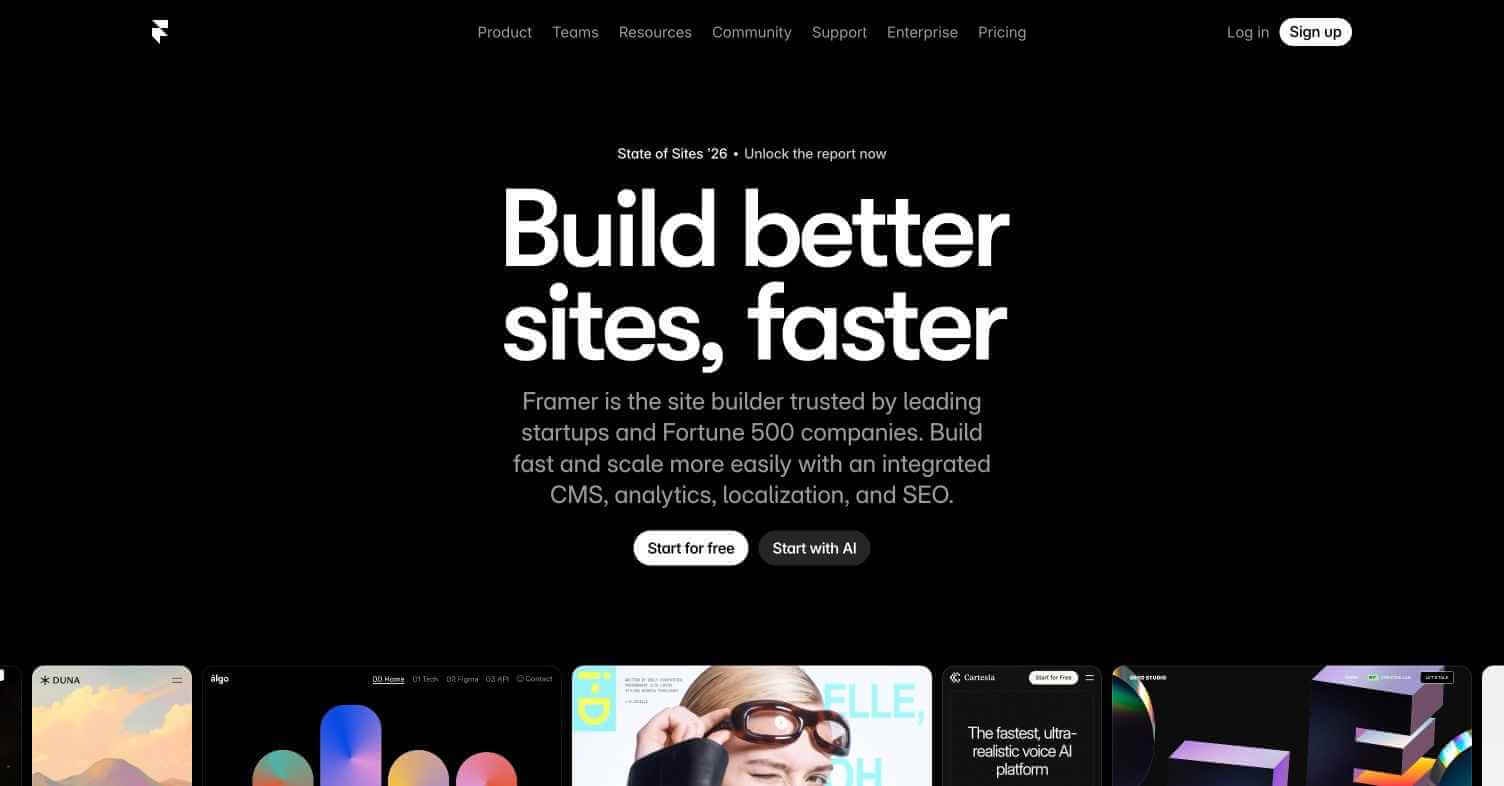
Most AI website builders produce generic templates you still have to rebuild from scratch. Framer AI generates genuinely designed, production-ready websites from a text description — and because it’s built on Framer’s professional design system, the output looks like it was made by a real designer rather than an AI template engine. It has become the default website tool for startups, designers, and agencies who want speed without sacrificing quality.
Quick Summary
Framer AI is an AI-powered website builder that generates complete, visually designed, production-ready websites from a text prompt, built on Framer’s professional no-code design and publishing platform.
Is it worth using? Yes — the best combination of AI generation speed and professional design quality in website building.
Who should use it? Startups, designers, freelancers, and agencies who need fast, high-quality website output without a full development workflow.
Who should avoid it? Teams needing complex custom backend functionality or deep CMS integration (use Webflow or a custom build instead).
Verdict Summary
Best for
Startups launching landing pages and marketing sites fast
Designers prototyping client websites before full production
Freelancers delivering polished websites quickly without custom development
Not for
Complex web applications requiring custom backend logic
E-commerce stores needing deep inventory and payment integration
Teams requiring a full headless CMS with editorial workflows
Rating ⭐⭐⭐⭐½ 4.6 / 5
What Is Framer AI?
Framer is a professional no-code website design and publishing platform used by over 500,000 designers and startups worldwide. Its AI layer — launched in 2023 — generates complete websites from a text description, producing layouts, copy, imagery, and styling that are immediately publishable without manual redesign. Unlike Wix ADI or Squarespace’s AI features which generate basic templates, Framer AI produces sites that match the visual quality of professionally designed work.
The platform combines AI generation with Framer’s full design editor, meaning generated sites can be fully customised in a pixel-precise design environment, connected to CMS collections for dynamic content, and published to custom domains within minutes of generation.
How Framer AI Works
Start a new project — Create a free account at framer.com and start a new project using the AI generation option.
Describe your website — Input a text description of your website — your business, what you offer, your target audience, and any style preferences. The more specific your prompt, the more tailored the output.
AI generates the full site — Framer AI produces a complete multi-section website including hero, features, testimonials, pricing, and footer sections with relevant copy and imagery.
Review and customise — The generated site opens directly in Framer’s design editor. Edit any element — text, layout, colours, images — with full pixel-level control.
Connect CMS for dynamic content — Link CMS collections for blog posts, team members, case studies, or any repeating dynamic content.
Publish to your domain — Connect a custom domain and publish in one click. Framer handles hosting, SSL, and performance optimisation.
Key Features
AI website generation from text prompt — complete multi-section sites
Full Framer design editor for post-generation customisation
CMS collections for dynamic content management
Custom domain publishing with built-in hosting and SSL
Component library with professional design patterns
Animation and interaction design without coding
SEO controls including meta tags, sitemaps, and Open Graph settings
Localisation support for multi-language websites
Real-World Use Cases
Startup landing pages: Launch a polished product landing page in hours rather than weeks without hiring a developer or designer.
Client website delivery: Use AI generation as a starting point for client projects, customise in Framer, and deliver faster with higher margins.
Portfolio sites: Generate and publish a professional personal or agency portfolio website in an afternoon.
Product launch pages: Stand up a dedicated launch page for a new product or feature with a custom domain and professional design quickly.
E-commerce features limited compared to Shopify or Webflow
Built-in hosting, SSL, and performance
CMS less powerful than dedicated headless CMS tools
Strong animation and interaction capabilities
Free plan shows Framer badge on published site
Pricing & Plans
Free — $0/month
Unlimited projects in editor
Framer subdomain publishing
Framer badge on published site
AI generation available
Mini — $5/month
1 custom domain
No Framer badge
Basic CMS (up to 100 items)
Basic — $15/month
1 custom domain
CMS up to 1,000 items
Basic analytics
Password protection
Pro — $30/month
2 custom domains
CMS up to 10,000 items
Advanced analytics
Staging environment
Enterprise — Custom
Unlimited domains and CMS items
SSO and team management
SLA and priority support
Best Alternatives & Comparisons
Mixo – AI Website Builder – Simpler AI generation for basic landing pages, less design quality and customisation
Unbounce – Better for conversion-focused landing pages with A/B testing, less design flexibility
Canva AI – Stronger for graphic design and social assets, weaker for full website publishing
Landingi – Better for dedicated landing page and lead capture workflows, less design freedom
Frequently Asked Questions (FAQ)
What is Framer AI?
Framer AI is an AI-powered website builder that generates complete, professionally designed websites from a text prompt, built on Framer’s professional no-code design and publishing platform.
Is Framer AI free?
Yes — the free plan includes AI generation and publishing to a Framer subdomain. Paid plans start at $5/month for a custom domain without the Framer badge.
Can I edit the website Framer AI generates?
Yes — every generated site opens directly in Framer’s full design editor where you can edit any element with pixel-level precision, add animations, connect CMS, and customise completely.
How does Framer AI compare to Webflow?
Framer AI is faster for initial generation and has better animation capabilities. Webflow has a more powerful CMS and is better for complex content-heavy sites. Both are professional-grade tools.
Does Framer handle hosting?
Yes — Framer includes built-in hosting with global CDN, SSL certificate, and automatic performance optimisation on all plans including free.
Can Framer AI websites be used commercially?
Yes — all paid plans allow full commercial use with custom domains. The free plan publishes to a Framer subdomain with a Framer badge.
Final Recommendation
Framer AI is the best answer to the question every startup and freelancer asks — how do I get a professional website live without a full design and development process. The AI generation removes the blank canvas problem, the design editor removes the template limitation, and the built-in publishing removes the hosting overhead. For any team that needs a high-quality web presence launched quickly, start with the free plan and generate your first site today.