Bubble Review: The No-Code Platform That Builds Real Web Applications
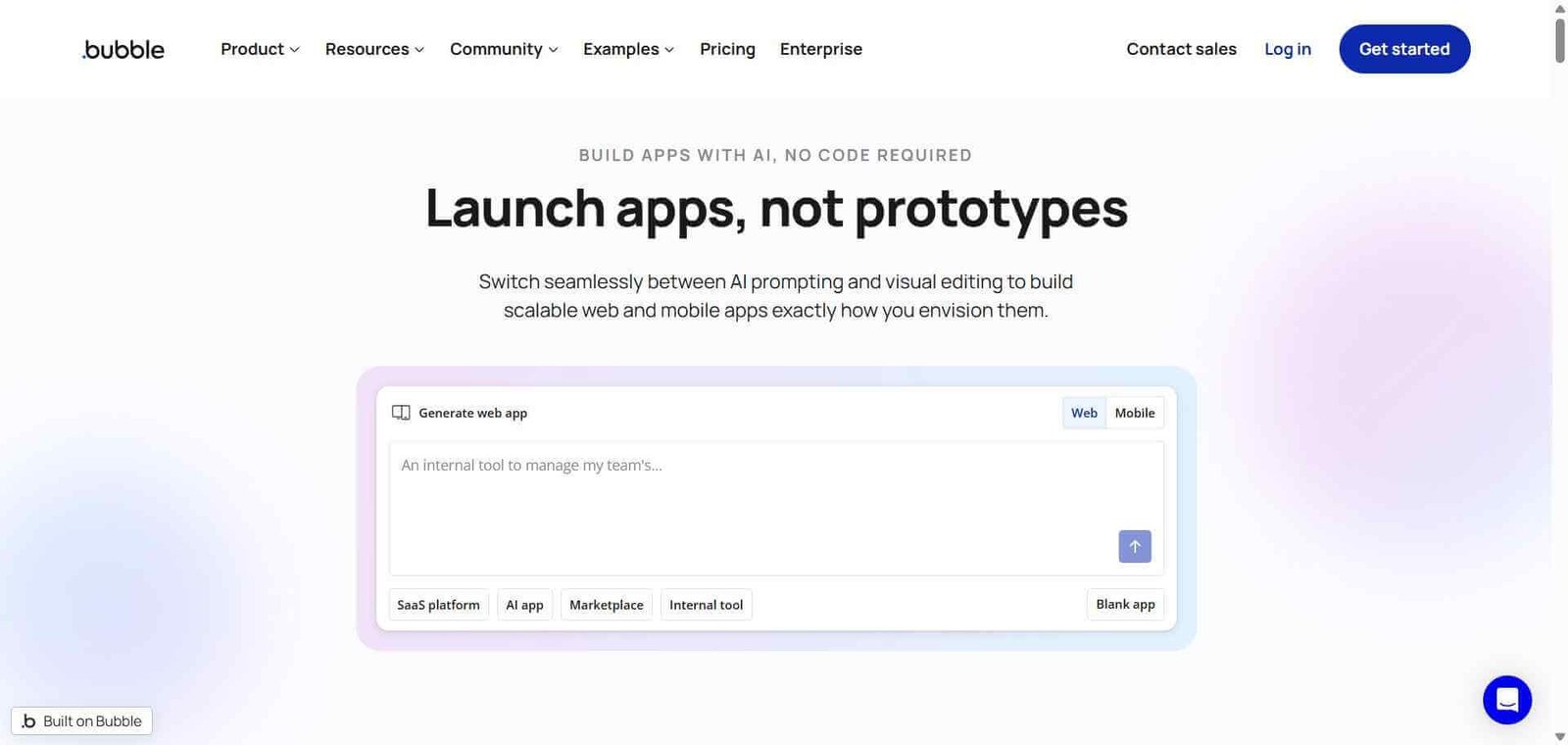
Most no-code tools build websites. Bubble builds applications. The distinction matters enormously — a website displays information while an application processes data, manages users, handles payments, enforces permissions, and responds to complex logic. Bubble provides all of this through a visual development environment that has enabled non-technical founders to build and launch SaaS products, marketplaces, and web platforms that would otherwise require a full engineering team. It is the most capable no-code application builder available and the platform behind some of the most impressive non-technical founder success stories in the startup ecosystem.
Quick Summary
Bubble is a no-code web application development platform that enables founders, product managers, and non-technical builders to create fully functional web apps — including user authentication, databases, APIs, payment processing, and complex business logic — without writing code.
Is it worth using? Yes for non-technical founders, solopreneurs, and product teams who want to build and launch a real web application without hiring developers, or who want to validate a product idea before committing to a full engineering build. Who should use it? Non-technical founders building SaaS products and marketplaces, product managers prototyping complex applications, and entrepreneurs who want to launch and iterate on web apps without developer dependency. Who should avoid it? Teams needing native mobile apps (Bubble builds web apps only), or developers who prefer the flexibility and performance of code-based frameworks for complex production applications.
Verdict Summary
Best for
Non-technical founders building SaaS products, marketplaces, and web platforms who want to go from idea to launched product without an engineering co-founder
Startups validating product-market fit with a functional MVP before investing in a full engineering build
Product managers who want to prototype complex application logic without writing code or waiting for engineering resources
Not for
Teams needing native iOS or Android mobile applications (Bubble produces web apps only)
Developers who prefer code-based frameworks for maximum performance and flexibility
Highly complex applications with extreme performance requirements at scale
Rating ⭐⭐⭐⭐ 4.4 / 5
What Is Bubble?
Bubble is a visual programming platform for building web applications, founded in 2012 and now powering over 3 million apps built by users across the world. Unlike website builders that produce static or CMS-driven pages, Bubble enables genuinely complex application logic — multi-sided marketplaces with seller and buyer flows, SaaS dashboards with role-based permissions, booking platforms with availability management, and social platforms with user-generated content — all without writing code.
Its visual development environment has three core layers: the design editor for building the user interface, the workflow editor for defining what happens when users take actions, and the database editor for designing the data structure. Understanding how these three layers interact is the learning curve, and once understood, Bubble’s capabilities extend to virtually any web application use case.
How Bubble Works
Design your interface. Use the drag-and-drop design editor to build every page of your application — landing pages, dashboards, forms, modals, and more — with full control over layout, typography, and styling.
Define your data structure. Create your database schema in the data editor, defining the types of data your app stores — users, listings, orders, messages — and the fields each type contains.
Build workflows. When a user takes an action — submits a form, clicks a button, or loads a page — define exactly what happens through Bubble’s workflow editor, connecting actions to database changes, API calls, emails, and other responses.
Add logic and conditions. Set conditions that determine when workflows run and when elements appear, building the conditional logic that makes your application respond intelligently to different user states.
Integrate external services. Connect payment processors through Stripe, send emails through SendGrid, call external APIs, and integrate hundreds of third-party services through Bubble’s plugin marketplace.
Deploy and scale. Publish your application to a custom domain. Bubble handles hosting, infrastructure, and scaling on its cloud infrastructure.
Key Features
Visual drag-and-drop interface builder for web application UI design
Built-in relational database for storing and managing application data
Visual workflow editor defining application logic without code
User authentication, roles, and permissions built in
Stripe payment processing integration for subscriptions and one-time payments
Plugin marketplace with 6,000 plus extensions
API connector for integrating with any external service
Responsive design for desktop and mobile browser access
Version control and staging environments for testing before deployment
Real-World Use Cases
SaaS product launch: A non-technical founder builds and launches a B2B project management SaaS in Bubble, reaching $10K MRR before hiring their first engineer to rebuild on a code-based stack.
Marketplace platform: A two-sided marketplace connecting freelancers with clients is built entirely in Bubble — with seller profiles, buyer search, booking, payment processing, and reviews all handled within the platform.
Internal business tool: A company builds a custom operations dashboard in Bubble that gives the ops team a clean interface to their database without giving direct database access.
MVP validation: A startup validates product-market fit with a fully functional Bubble application before committing to a six-month engineering build, saving months of development time on an idea that may need pivoting.
Most capable no-code platform for complex web application logic
Steep learning curve compared to simpler website builders
Genuine database, authentication, and payment capabilities
Performance can be slower than code-based applications at scale
Large plugin marketplace extends functionality significantly
Native mobile apps not supported — web apps only
Active community with templates and tutorials accelerating learning
Bubble-hosted apps create some vendor dependency
Handles real production applications with paying customers
Complex applications can become hard to maintain as logic grows
Pricing & Plans
Free — $0/month
Bubble subdomain
Development mode only
Full feature access for building
Community support
Starter — $29/month
Custom domain
Live production deployment
2 app editors
Basic capacity
Growth — $119/month
All Starter features
15 app editors
Custom integrations
Enhanced capacity
Team — $349/month
All Growth features
Unlimited editors
Advanced workflow capacity
Priority support
Enterprise — Custom pricing
Dedicated infrastructure
Custom SLA
Enterprise security
Best Alternatives & Comparisons
Webflow — Better for design-quality websites and CMS-driven content, not a full application builder
Retool — Better for building internal tools for technical teams connected to existing databases
Lovable AI — Better for AI-generated app scaffolding with code output, different paradigm
Airtable — Better for database-driven internal tools without full application complexity
Frequently Asked Questions (FAQ)
What is Bubble?
Bubble is a no-code web application development platform that enables non-technical builders to create fully functional web apps — with databases, user authentication, payment processing, and complex logic — without writing code.
Is Bubble free?
Yes, Bubble offers a free plan for building and testing applications. Deploying to a custom domain for live production use requires the Starter plan at $29/month.
Can Bubble build a SaaS product?
Yes, Bubble is specifically capable of building SaaS products including user authentication, subscription billing through Stripe, role-based permissions, dashboards, and the complex workflows that SaaS products require.
Does Bubble support mobile apps?
Bubble builds web applications that are accessible from mobile browsers with responsive design, but does not produce native iOS or Android mobile applications. For native mobile no-code development, tools like FlutterFlow or Adalo serve that use case.
How hard is it to learn Bubble?
Bubble has a steeper learning curve than simple website builders because it requires understanding how its three layers — design, workflows, and data — interact to build application logic. Most new users report becoming productive within two to four weeks of regular use with available tutorials and community resources.
How does Bubble compare to Webflow?
Bubble builds fully functional web applications with complex logic, databases, and user management. Webflow builds design-quality websites and content-driven pages. Both are no-code, but they solve fundamentally different problems — Bubble for applications, Webflow for websites.
Final Recommendation
Bubble is the platform that has made the non-technical founder path to a real SaaS product viable without compromise. The capability gap between what Bubble can produce and what a code-based application produces continues to narrow, and for early-stage validation especially, the speed advantage of building in Bubble versus hiring engineers is transformative. For any non-technical founder with a web application idea, learning Bubble is one of the highest-return investments of time available.