Chameleon Review: The In-App Guidance Platform Built for Product Teams Who Move Fast
The onboarding experience for most SaaS products is an afterthought — built once during the initial launch, never updated because every change requires an engineering sprint, and gradually becoming disconnected from the product it is supposed to explain as features evolve. Chameleon was built to fix this by giving product and growth teams the ability to create, test, and iterate on in-app guidance experiences independently — product tours, tooltips, surveys, launchers, and modals — without filing a single engineering ticket for each change.
Quick Summary
Chameleon is a no-code in-app guidance platform for SaaS products that enables product and growth teams to create product tours, tooltips, checklists, surveys, and launchers — targeting specific user segments — without engineering involvement, with AI assistance for content generation and targeting.
Is it worth using? Yes for SaaS product and growth teams who want to improve new user activation and feature adoption through in-product guidance without being dependent on engineering for every onboarding change. Who should use it? Product managers, growth marketers, and customer success teams at SaaS companies who want control over their in-app onboarding and feature announcement experiences without engineering dependency. Who should avoid it? Teams using Pendo who already have analytics alongside guidance, or very early-stage companies whose user volume does not justify the investment.
Verdict Summary
Best for
SaaS product teams who want to A/B test and iterate on onboarding flows rapidly without engineering bottlenecks
Growth teams who want to run experiments on feature adoption nudges targeting specific user segments based on behaviour
Customer success teams who want to deliver in-app guidance for specific account tiers without product manager involvement
Not for
Teams who also need product analytics alongside guidance (Pendo covers both)
Very early-stage companies with small user bases where the cost is hard to justify
Teams whose guidance needs are simple enough for Appcues at a comparable price point
Rating ⭐⭐⭐⭐ 4.3 / 5
What Is Chameleon?
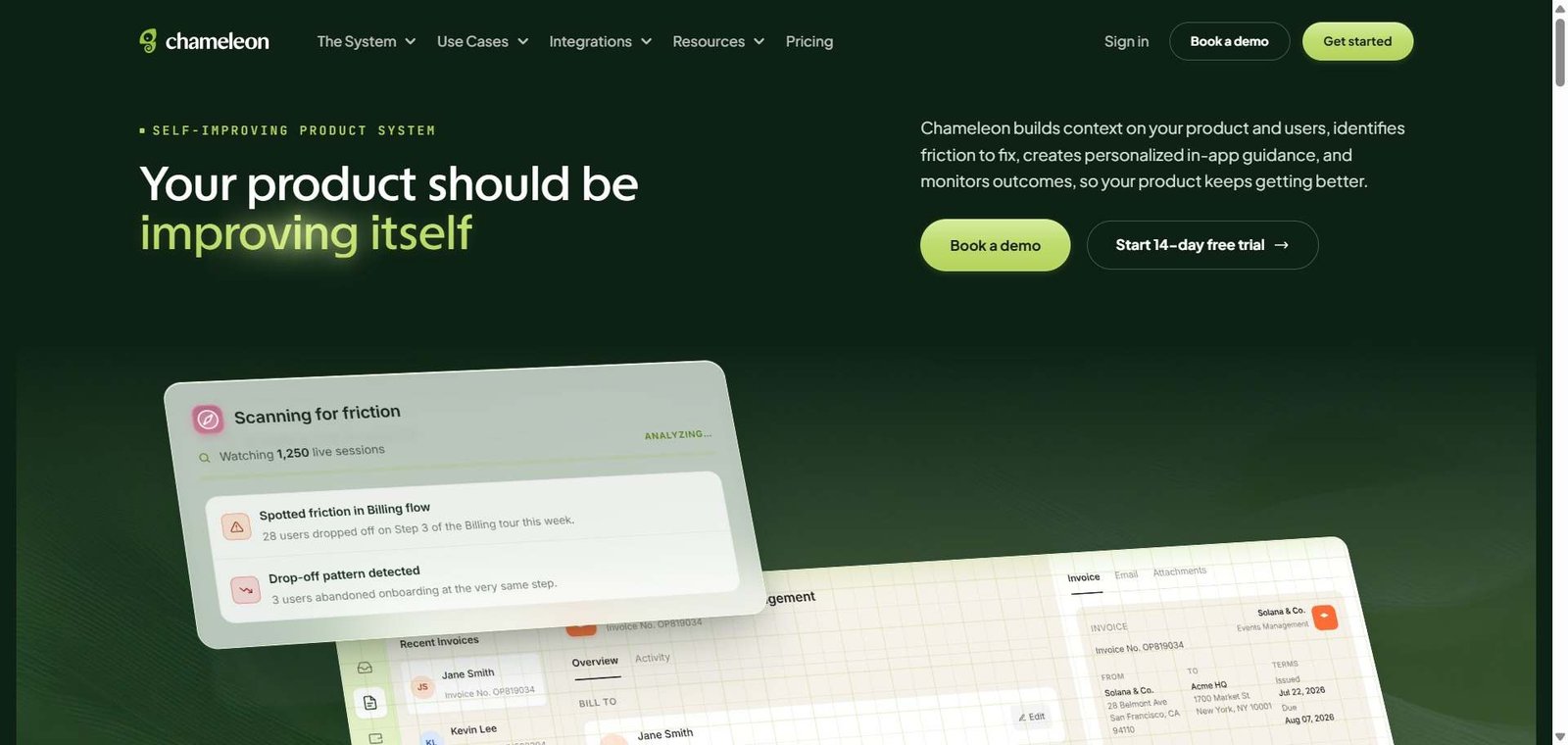
Chameleon is a product adoption platform that enables non-engineers to create in-app guidance experiences — tours, tooltips, modals, banners, checklists, and microsurveys — that appear within a SaaS application to guide users through features, announce updates, and collect contextual feedback. Its visual builder overlays on the live product in a browser extension, allowing product teams to build and target experiences without touching the product’s codebase.
The AI features generate tour content from brief descriptions of the feature being explained, suggest targeting rules based on user cohort behaviour patterns, and help identify which user segments would most benefit from specific guidance interventions.
How Chameleon Works
Install Chameleon. Add a JavaScript snippet to your application — one-time engineering setup that makes all future Chameleon experiences require no further engineering involvement.
Build experiences in the visual editor. Open the Chameleon builder Chrome extension while viewing your live product and create tours, tooltips, modals, or checklists by clicking on product elements and configuring what appears.
Use AI to generate content. Describe the feature or workflow you want to explain and Chameleon’s AI generates tour step content, tooltip text, and CTA copy as a starting point.
Set targeting rules. Define which users see each experience — based on user properties, events, plan type, or behavioural criteria — ensuring guidance appears for the right user at the right moment.
A/B test your experiences. Create variants of your tour or tooltip and run A/B tests to identify which approach drives higher completion rates and downstream feature adoption.
Measure impact. Review completion rates, drop-off points, and downstream feature adoption changes for every experience to understand what works.
Key Features
Visual no-code builder overlaying on live product for creating guidance without code
Product tours with multi-step walkthroughs and branching
Tooltips and hotspots for contextual feature highlighting
Modals and banners for announcements and feature launches
Onboarding checklists for tracking activation milestones
Microsurveys for collecting in-context user feedback
AI content generation for tour steps and tooltip copy
Targeting based on user properties, events, and behavioural criteria
A/B testing for comparing guidance variants
Launchers for creating help menus and resource centres
Real-World Use Cases
New user onboarding: A SaaS company creates a five-step product tour that appears for every new user on first login, walking them through the core value-generating workflow — with completion rates measured and the tour updated based on drop-off data without any engineering involvement.
Feature announcement: A product team creates a modal announcing a new feature that appears for users on the affected plan tier when they next log in, with a CTA linking to the feature — shipped within hours of the feature release.
Segment-specific guidance: A growth team creates a checklist targeting trial users who have not yet completed a key activation step, appearing only for this segment with step-by-step guidance toward the milestone most predictive of conversion.
In-app NPS survey: A customer success team deploys a microsurvey targeting enterprise accounts after their first 30 days, collecting satisfaction and friction feedback that informs quarterly product planning.
Some complex product UIs have overlay compatibility challenges
Launcher and resource centre features add self-service help capability
Smaller community than Pendo and Appcues
Pricing & Plans
Chameleon pricing is based on monthly active users and is available on request. It typically starts around $279/month for smaller MAU counts with custom pricing for larger deployments.
Best Alternatives & Comparisons
Appcues — Similar no-code in-app guidance at comparable pricing, well-established alternative
Pendo — Better for teams wanting product analytics alongside in-app guidance in one platform
Userflow — Better value for similar in-app guidance capabilities at lower pricing
CommandBar — Better for teams wanting command palette and AI chat alongside guidance
Frequently Asked Questions (FAQ)
What is Chameleon?
Chameleon is a no-code in-app guidance platform for SaaS products that enables product teams to create product tours, tooltips, checklists, surveys, and launchers without engineering, with AI content generation and targeting built in.
Does Chameleon require engineering to set up?
One-time engineering work to add the JavaScript snippet is required. After installation, all experience creation, targeting, and iteration is done by product and growth teams without further engineering involvement.
What AI features does Chameleon have?
Chameleon’s AI generates tour step content, tooltip copy, and CTA text from brief descriptions of the feature or workflow being explained, and suggests targeting rules based on user cohort behaviour patterns.
How does Chameleon compare to Appcues?
Both are no-code in-app guidance platforms with similar core capabilities. Chameleon’s A/B testing and microsurvey features are slightly more developed. Both have comparable pricing. The choice often comes down to interface preference — evaluating both with free trials is the best approach.
Does Chameleon track feature adoption?
Yes, Chameleon tracks guidance completion rates and can measure downstream feature adoption changes following an experience — showing whether users who completed an onboarding tour are more likely to use the feature within a defined window.
What is a Chameleon launcher?
A launcher is a persistent help menu or resource centre — typically accessed through a help button or keyboard shortcut — that provides users with quick access to tours, documentation links, and other guidance resources without requiring a proactive tour trigger.
Final Recommendation
Chameleon is a strong no-code in-app guidance platform for product and growth teams who want to iterate on onboarding and feature adoption experiences at the speed their product development deserves. The A/B testing capability, microsurvey integration, and AI content generation set it slightly apart from comparable tools, and the no-code workflow provides genuine independence from engineering for the experiences that matter most to activation and retention. For teams evaluating Appcues, Chameleon is consistently worth including in the comparison.