Userflow Review: The No-Code Onboarding Platform That Delivers Appcues Capability at a Lower Price
In-app onboarding tools have historically had a pricing gap between simple tools that cover basic use cases and premium platforms like Appcues and Pendo that cover complex ones at significant cost. Userflow occupies the space in between — providing the core no-code onboarding capabilities that product and growth teams actually use most (flows, checklists, surveys, resource centres) at pricing that is consistently 30 to 50 percent below comparable alternatives, without meaningful feature reduction for the most common use cases.
Quick Summary
Userflow is a no-code user onboarding platform for SaaS products providing product flows, checklists, surveys, and resource centres with visual building, user attribute targeting, and an AI flow builder — at pricing below comparable tools like Appcues.
Is it worth using? Yes for SaaS product and growth teams who want professional-grade in-app onboarding capability without the premium pricing of the most established platforms. Who should use it? Product managers and growth teams at SaaS companies who want no-code onboarding flow creation with solid targeting and analytics at a more accessible price point than Appcues or Chameleon. Who should avoid it? Teams who specifically need Pendo’s combined analytics and guidance, or those whose onboarding complexity requires the most mature platforms with the largest community and integrations.
Verdict Summary
Best for
SaaS product teams who want the core in-app onboarding capabilities — flows, checklists, surveys — at pricing below Appcues without meaningful feature compromise for standard use cases
Growth teams who want to iterate on onboarding quickly and want a platform that is fast to learn and deploy
Startups and scale-ups who want professional onboarding infrastructure without the enterprise pricing of established platforms
Not for
Teams who need Pendo’s product analytics alongside guidance
Organisations whose onboarding complexity requires the most established platforms with the deepest community resources
Teams who prioritise A/B testing of guidance variants as a core workflow
Rating ⭐⭐⭐⭐ 4.3 / 5
What Is Userflow?
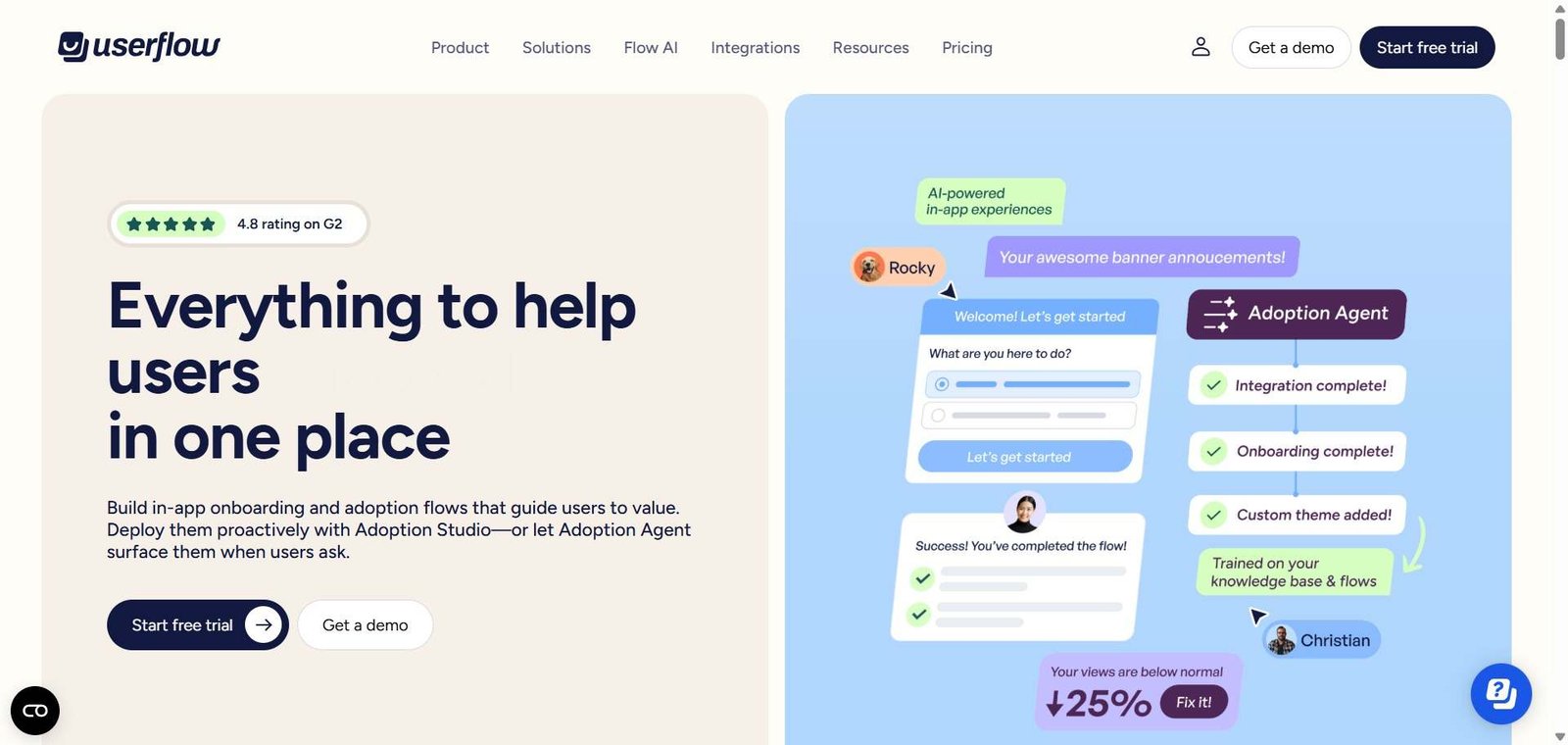
Userflow is an in-app onboarding and product adoption platform that provides the most commonly needed user guidance tools — multi-step flows, onboarding checklists, NPS and custom surveys, and a resource centre — through a visual no-code builder that overlays on the live product. Its AI flow builder can generate a complete onboarding flow from a text description of the user journey being guided, significantly reducing the setup time for common onboarding patterns.
The platform is notable for its speed of implementation — most teams report going from signup to first live flow in under two hours — and for its pricing, which is typically meaningfully lower than Appcues and Chameleon for equivalent feature access.
How Userflow Works
Install the Userflow snippet. Add the JavaScript snippet to your application — a one-time engineering setup that takes under 15 minutes.
Build flows with the visual editor. Open the Userflow builder while viewing your live product and create flows by clicking on elements and configuring step content, actions, and transitions.
Use AI to generate flows. Describe the onboarding journey you want to create and Userflow’s AI builder generates a complete flow structure with step content as a starting point.
Configure targeting. Set conditions for which users see each flow — based on user attributes, events, or custom properties — ensuring experiences reach the right segment at the right time.
Set up checklists. Create onboarding checklists that track user completion of key activation milestones, with automated flow triggers when specific checklist items are selected.
Review analytics. Track flow completion rates, step drop-off, and checklist completion for every experience to guide iteration priorities.
Key Features
Visual no-code flow builder overlaying on live product
AI flow builder generating complete flow structures from descriptions
Multi-step guided flows with tooltips, modals, and hotspots
Onboarding checklists with progress tracking and automated triggers
NPS and custom in-app surveys for contextual feedback
Resource centre for self-service help access within the product
User attribute and event-based targeting
Flow analytics covering completion rates and step drop-off
Integrations with Segment, Mixpanel, Amplitude, and other analytics tools
Real-World Use Cases
New user activation flow: A SaaS company uses Userflow to create a new user activation flow that guides users through their first three key actions — completing setup, creating their first item, and inviting a teammate — with checklist progress tracking alongside the guided steps.
Feature announcement flow: A product team creates a Userflow modal announcing a new integration capability to existing users on the relevant plan tier, with a walkthrough of where to find and set up the integration — published the same day as the feature release.
AI-generated onboarding: A product manager uses Userflow’s AI builder to generate a complete onboarding flow for a new user persona by describing the journey — receiving a starting structure that requires 30 minutes of refinement rather than building from scratch.
In-app NPS collection: A customer success team deploys a Userflow NPS survey targeting users after their 60th day of active use, with open-text follow-up collecting qualitative feedback that feeds into the quarterly product review.
Meaningfully lower pricing than Appcues and Chameleon for comparable core features
A/B testing capability less developed than some alternatives
AI flow builder reduces flow creation time significantly
Smaller community and fewer third-party resources than established platforms
Fast implementation — most teams are live within two hours
Analytics less comprehensive than Pendo’s combined analytics and guidance
Clean, intuitive interface with low learning curve
Less suitable for the most complex onboarding architectures with deep branching
Resource centre feature adds self-service help capability
Some enterprise features on higher plan tiers only
Pricing & Plans
Startup — $240/month
Up to 3,000 MAU
Unlimited flows and checklists
Surveys and resource centre
Analytics
Email support
Growth — $680/month
Up to 10,000 MAU
All Startup features
Advanced targeting
Priority support
Enterprise — Custom pricing
Unlimited MAU
All features
SSO
Dedicated support
Best Alternatives & Comparisons
Appcues — Similar no-code guidance platform with more established community, higher pricing
Chameleon — Better A/B testing and microsurvey integration, comparable pricing
Pendo — Better for combined product analytics and guidance, significantly higher cost
CommandBar — Better for command palette and AI chat alongside guidance, different scope
Frequently Asked Questions (FAQ)
What is Userflow?
Userflow is a no-code user onboarding platform for SaaS products providing product flows, checklists, surveys, and resource centres with visual building, targeting, and AI flow generation at pricing below comparable platforms.
How does Userflow pricing compare to Appcues?
Userflow is typically 30 to 50 percent less expensive than Appcues for comparable MAU counts and feature access, making it a meaningful cost saving for teams whose onboarding needs are well-covered by Userflow’s feature set.
Does Userflow have AI features?
Yes, Userflow’s AI flow builder generates complete onboarding flow structures from text descriptions of the user journey being guided — providing a starting point that significantly reduces flow creation time compared to building from scratch.
How long does it take to go live with Userflow?
Most teams report creating their first live onboarding flow within two hours of signing up — including the JavaScript snippet installation, first flow creation, and publishing to their product.
What is a Userflow resource centre?
A resource centre is a persistent help panel within the product — accessible through a help button — that provides users with quick access to onboarding flows, documentation links, support contact, and other guidance resources on demand.
How does Userflow compare to Chameleon?
Both are no-code in-app onboarding platforms with similar core capabilities. Chameleon has stronger A/B testing and microsurvey features. Userflow has a lower price point and faster implementation. Both are worth evaluating — the choice typically comes down to budget and which specific features matter most.
Final Recommendation
Userflow is the most value-efficient in-app onboarding platform for SaaS teams who want professional-grade flow building, targeting, and analytics without the premium pricing that the most established platforms charge. The AI flow builder accelerates implementation, the core feature set covers every common onboarding use case, and the pricing makes it accessible to growing companies that cannot justify Appcues’ cost before reaching meaningful scale. For product teams evaluating user onboarding platforms, Userflow consistently deserves serious consideration alongside its more expensive alternatives.