itirupati.com AI Tools

Coda AI

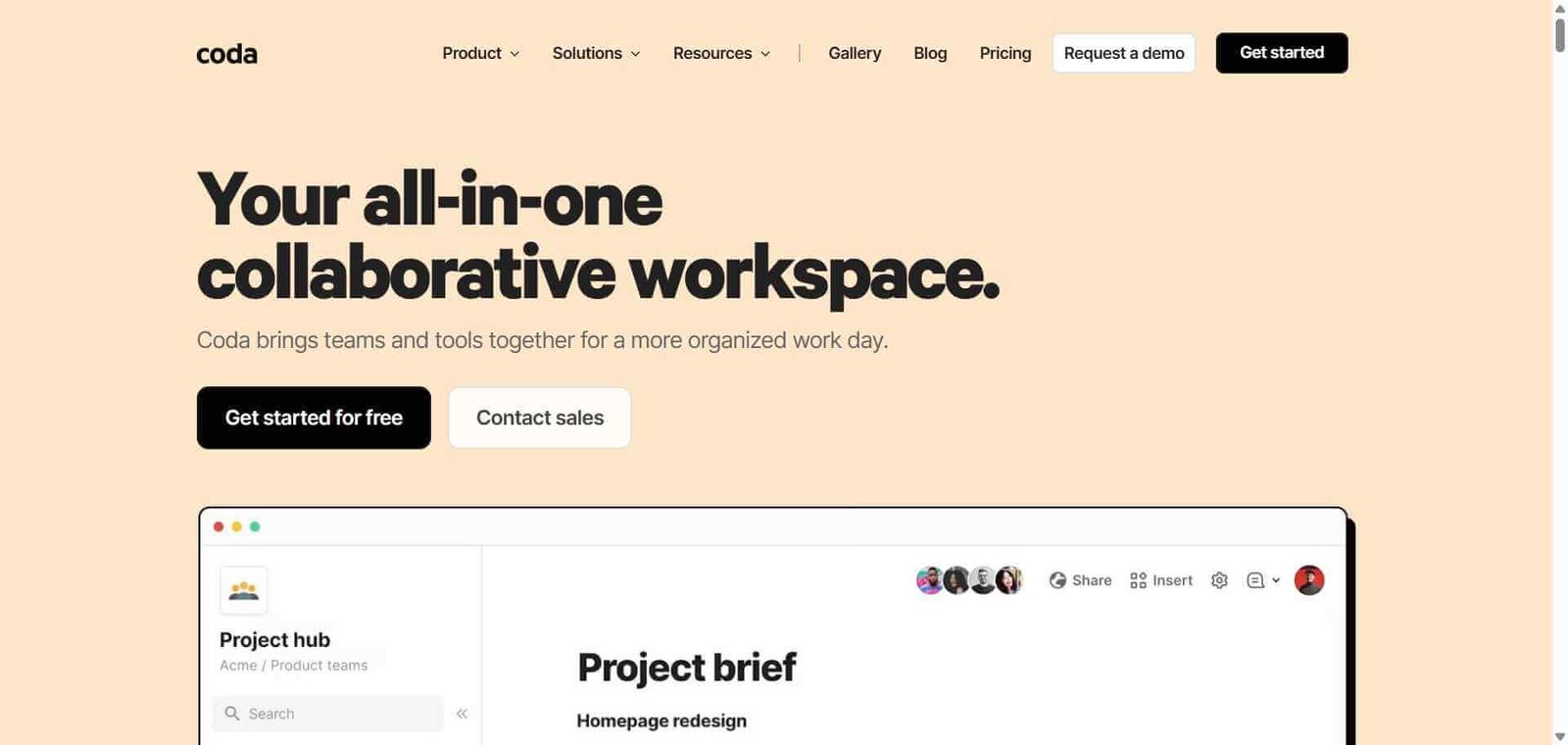
Combine documents, databases, and automations in one AI-powered workspace — built for how teams actually work.

Coda AI Review: The Document Platform That Blurs the Line Between Docs and Apps

Most teams use different tools for different things — Google Docs for writing, Airtable for data, Zapier for automation, and Notion somewhere in between. Coda replaces all of these with a single platform where documents contain both prose and live tables, buttons trigger actions, and automations run workflows — all in one doc. The AI layer added through Coda AI reduces the manual work of maintaining these docs, drafting content, and querying data in natural language, making the platform genuinely faster to use as it learns your team’s patterns.

Quick Summary

Coda AI is an AI-powered document and database platform that combines rich document editing, relational tables, formula-powered automations, and a marketplace of integrations in a flexible workspace where documents are also functional applications.

Is it worth using? Yes for teams who want a single workspace that handles both knowledge documentation and operational data management without switching between separate tools.
Who should use it? Product teams, operations teams, and project-driven organisations who want to combine meeting notes, project tracking, data tables, and process automation in one connected workspace.
Who should avoid it? Teams whose needs are cleanly served by separate specialised tools — dedicated project management and separate documentation — without the overhead of learning a new combined platform.

Verdict Summary

Best for

  • Product teams who want meeting notes, product specs, roadmaps, and feature tracking in one connected document rather than scattered across tools
  • Operations teams who build internal process documents that include live data tables, calculated fields, and automated actions
  • Project-driven teams who want the flexibility to design their own workspace structure rather than conforming to a rigid tool’s opinionated layout

Not for

  • Teams looking for the simplest possible tool with the lowest learning curve
  • Organisations that need purpose-built project management with dedicated resource management and Gantt charts
  • Teams whose primary need is a knowledge base with deep search and organisation rather than interactive documents

Rating
⭐⭐⭐⭐ 4.3 / 5

What Is Coda AI?

Coda is a document platform founded on the idea that documents and spreadsheets should not be separate things — that a document can contain a live data table, that a table row can trigger an automation, and that the whole thing should feel like reading and writing a document rather than operating a database. Its building blocks — pages, tables, views, formulas, and buttons — combine to create docs that are simultaneously readable prose and functional operational tools.

Coda AI extends this with AI writing assistance within documents, natural language queries against table data, AI-powered document summaries, and smart chip suggestions that anticipate what information to pull into a document based on context.

How Coda Works

  • Create a new doc. Each Coda document is a flexible workspace containing pages of mixed content — prose, tables, views, embeds, and interactive elements.
  • Write and document normally. Create pages for meeting notes, project specs, and team knowledge using Coda’s rich text editor with headings, callouts, and media.
  • Add tables to your documents. Insert a table anywhere in a doc and add columns for any data type — text, numbers, dates, relations, formulas. Tables in Coda are relational — they can reference rows in other tables.
  • Use formulas to calculate and automate. Add formula columns that calculate values based on other columns, the same way a spreadsheet formula works but within a doc environment.
  • Add buttons and automations. Create buttons that trigger actions — send a Slack message, update a row in another table, create a Jira ticket — and set up scheduled automations that run without manual triggering.
  • Use Coda AI. Ask Coda AI to summarise a page, generate content based on your doc’s data, query a table in natural language, or help draft new sections based on existing content patterns.

Key Features

  • Flexible doc structure combining pages, tables, and interactive elements
  • Relational tables with formula columns for calculated data
  • Multiple table views — grid, calendar, kanban, and gallery — within the same doc
  • Button and automation builder for triggered and scheduled actions
  • Coda AI for writing assistance, table querying, and document summarisation
  • Packs marketplace integrating with Jira, Salesforce, Slack, GitHub, and others
  • Cross-doc references connecting data between separate Coda documents
  • Publishing and sharing with granular permission control
  • Real-time collaboration with comment threads and mentions

Real-World Use Cases

  • Product team workspace: A product team maintains their entire product process in Coda — roadmap table, spec pages for each feature, meeting notes connected to the relevant roadmap items, and a launch checklist that tracks completion across multiple workstreams.
  • OKR tracking: A leadership team uses Coda to write OKR descriptions alongside the tracking table, with formula columns calculating progress percentages and buttons that ping the relevant owner when a key result falls behind.
  • Client project management: An agency manages each client project in a Coda doc with pages for briefs, status updates, and deliverable tracking tables, with automations that notify Slack when task statuses change.
  • Engineering runbook: An engineering team maintains operational runbooks in Coda with embedded incident response tables, on-call schedules, and buttons that create Jira tickets from the doc without switching applications.

Pros and Cons

ProsCons
Most flexible combination of docs and databases availableSteeper learning curve than Notion or Google Docs
Formula and automation capability in a doc environment is uniquePerformance can slow on very large tables with complex formulas
Coda AI queries and summarisation are practically usefulPricing is per maker (editor) which can add up for larger teams
Packs marketplace integrations extend functionality significantlyTemplate ecosystem smaller than Notion
Real-time collaboration on complex docs works reliablySome teams find the flexibility creates organisational challenges

Pricing & Plans

Free — $0/month
  • Unlimited docs and makers
  • Up to 1,000 rows per doc
  • Basic packs
  • Real-time collaboration
Pro — $10/maker/month
  • Unlimited rows
  • All standard packs
  • Custom automations
  • Priority support
Team — $30/maker/month
  • All Pro features
  • Advanced packs and integrations
  • Team usage analytics
  • Priority support
Enterprise — Custom pricing
  • SSO and advanced security
  • Dedicated support
  • Custom SLA

Best Alternatives & Comparisons

  • Notion AI — Better for knowledge management and note-taking with a simpler database layer and larger template community
  • Airtable — Better for database-first workflows where spreadsheet capability is the primary need
  • Monday AI — Better for visual project management with dedicated project tracking features
  • Retool — Better for building custom internal tools connected to external databases

Frequently Asked Questions (FAQ)

What is Coda AI?

Coda AI is an AI-powered document and database platform that combines rich document editing, relational tables, formula-powered automations, and a packs marketplace in a flexible workspace where documents function as both readable content and operational tools.

Is Coda free?

Yes, Coda offers a free plan with unlimited docs, unlimited makers, and up to 1,000 rows per doc. The Pro plan at $10/maker/month removes row limits and adds full automation capability.

How is Coda different from Notion?

Coda’s tables have more spreadsheet-like formula capability, its automation and button features are more powerful, and its overall approach treats documents as more functional tools. Notion has a simpler entry curve, a much larger template library, and stronger knowledge base organisation features. Coda is better for teams that need their docs to do more; Notion for teams that want docs and databases to be simpler.

What are Packs in Coda?

Packs are Coda’s integration system connecting your docs to external tools — Jira, Salesforce, GitHub, Slack, Google Analytics, and others — allowing data from those tools to appear in Coda tables and actions from Coda buttons to trigger actions in those tools.

How does Coda AI help teams?

Coda AI can summarise long pages, draft content based on existing document patterns, answer questions about table data in natural language, and suggest relevant information to pull into a doc based on context, reducing the manual maintenance burden of complex team documents.

How long does it take to create a guide with Scribe?

Creating a guide takes as long as it takes you to complete the process itself — typically two to ten minutes. Scribe generates the formatted guide automatically after you stop recording, usually within seconds.

Final Recommendation

Coda is the right platform for teams that have felt constrained by the separation of their documentation tools and their operational data tools. The ability to write a meeting summary, embed the live roadmap table, and add a button that creates a Jira ticket in the same document is genuinely transformative for teams whose work lives at the intersection of knowledge and action. The learning investment is real but the productivity return for teams that embrace Coda’s model is consistently significant.

Next steps

Feature your app on AI tools for free

Subscribe to our Newsletter

Stay up-to-date with the latest AI Apps and cutting-edge AI news.

Trending Categories