itirupati.com AI Tools

Glide

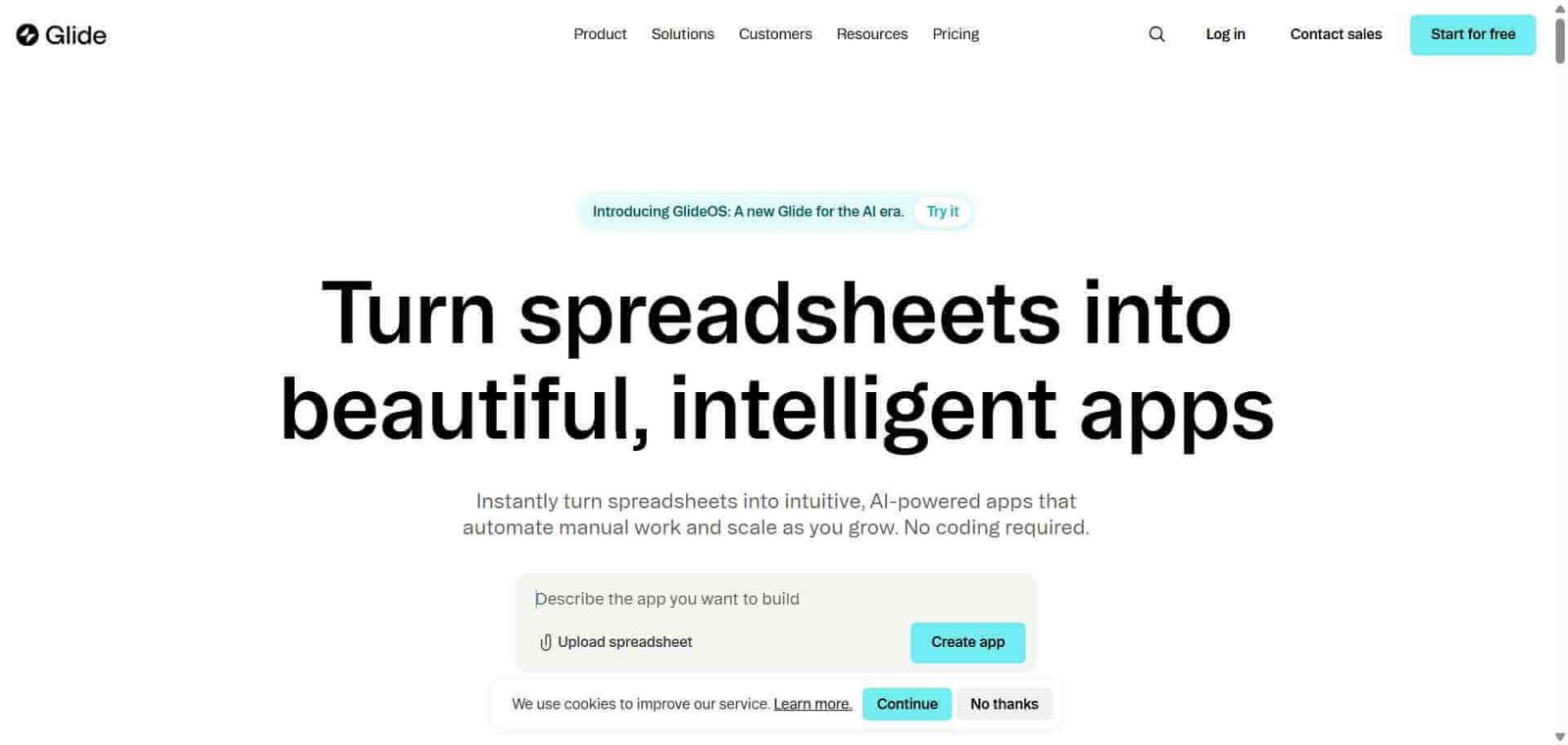
Turn your spreadsheet data into a beautiful mobile or web app — no code, no complexity.

Glide Review: The No-Code App Builder That Turns Google Sheets Into Real Mobile Apps

Most organisations have business data living in Google Sheets or Airtable that could power a much better experience if it were in an app rather than a spreadsheet. Glide makes this transformation accessible to anyone — connect your spreadsheet, choose from a library of app templates and components, configure the layout and interactions visually, and publish a mobile-responsive web app that your team or customers can use immediately. No code, no developer, no infrastructure management.

Quick Summary

Glide is a no-code app builder that creates mobile and web business applications directly from Google Sheets, Airtable, and other data sources using a visual editor, with AI-powered features for data operations and an extensive component library.

Is it worth using? Yes for operations teams, small businesses, and non-technical builders who want to turn existing spreadsheet data into functional mobile or web apps for internal or customer-facing use.
Who should use it? Operations managers, small business owners, field teams, and non-technical builders who have business data in spreadsheets and want to give that data a proper app interface without developer involvement.
Who should avoid it? Teams needing complex application logic, custom authentication systems, or backend integration depth that Bubble’s full application builder provides.

Verdict Summary

Best for

  • Operations teams who want to give field workers, customers, or partners a mobile app interface to data currently living in Google Sheets
  • Small businesses building internal tools — employee directories, inventory trackers, service request forms — without developer resources
  • Non-technical builders who want to create a customer-facing app from existing structured data without learning a complex development platform

Not for

  • Teams needing complex multi-step application logic, custom authentication, or sophisticated backend integrations (Bubble is more appropriate)
  • Developers who prefer code-based frameworks with full control over application architecture
  • High-volume production applications where Glide’s data connection limits become constraints

Rating
⭐⭐⭐⭐ 4.2 / 5

What Is Glide?

Glide is a no-code platform that generates mobile and web applications from structured data sources — primarily Google Sheets and Airtable, with direct database connections also supported. Its visual app builder uses a component-based system where you configure lists, detail views, forms, and charts by connecting them to columns in your data source, creating a functional application that reads and writes to the underlying data without writing any code.

Its Glide AI features add computed columns that use AI to automatically classify, extract, or transform data — categorising support tickets by sentiment, extracting addresses from free text, or translating content — all processed and stored back in the spreadsheet data source.

How Glide Works

  • Connect your data source. Link a Google Sheet, Airtable base, or direct database connection to your Glide project. Glide reads your column structure and uses it to power your app’s data layer.
  • Choose your app structure. Select from templates or build from scratch, choosing the layout types that suit your use case — list, detail, form, map, calendar, or chart views.
  • Configure your components. Connect each screen component to the relevant columns in your data, configuring which data appears where and what actions users can take — adding rows, editing records, filtering lists.
  • Add Glide AI columns. Use AI-powered computed columns to automatically process your data — classify text, extract information, generate summaries, or transform values — with results stored in new columns in your sheet.
  • Set visibility and permissions. Configure which users see which data using row owner and email-based access controls, enabling personalised views or role-based access in team apps.
  • Publish and share. Publish your app to a web URL or as a Progressive Web App that users can install on their home screen. Share internally or publicly based on your access configuration.

Key Features

  • Google Sheets, Airtable, and direct database connections as data sources
  • Visual app builder with lists, forms, charts, maps, and detail views
  • Glide AI computed columns for automated data processing
  • Row-level permissions and email-based access control
  • Progressive Web App publishing for home screen installation on mobile
  • Custom actions triggering API calls, sending emails, or updating records
  • Integration with Zapier and Make for workflow automation connections
  • No-code form builder for data collection from app users
  • White-label options for customer-facing app deployments

Real-World Use Cases

  • Field service team app: A facilities management company creates a Glide app from a Google Sheet tracking maintenance requests, giving field technicians a mobile interface to view assigned jobs, update status, and upload completion photos from their phones.
  • Employee directory: An HR team builds an internal employee directory app from an Airtable base, giving all staff a searchable mobile-friendly interface to contact details and department information that updates automatically when the source data changes.
  • Customer portal: A B2B service company creates a Glide app giving each client a personalised view of their account data, project status, and document library from a Google Sheet filtered by their email address.
  • Inventory tracker: A small retail business builds a Glide app from a Google Sheet inventory list, allowing staff to check stock levels and submit restocking requests from a clean mobile interface rather than opening a spreadsheet.

Pros and Cons

ProsCons
Fastest path from Google Sheets data to a functional mobile appLimited complex application logic compared to Bubble
Glide AI computed columns add powerful data processing without codeData row limits on lower plans restrict larger datasets
Progressive Web App publishing works on any mobile device without app storeAPI and custom backend integration depth below Retool
Row-level permissions enable personalised multi-user appsDesign customisation less deep than fully custom built apps
Templates reduce time to first working app significantlyMore complex workflows require Zapier or Make integration

Pricing & Plans

Free — $0/month
  • 500 rows of data
  • 3 apps
  • Core components
  • Basic AI columns
Maker — $49/month
  • 5,000 rows
  • 10 apps
  • All components
  • Custom actions
  • Priority support
Team — $99/month
  • 25,000 rows
  • Unlimited apps
  • Team collaboration
  • Advanced permissions
  • All AI features
Business — $249/month
  • 100,000 rows
  • All Team features
  • White-label options
  • Priority support

Best Alternatives & Comparisons

  • Bubble — Better for complex web application logic with full database and authentication control, steeper learning curve
  • Softr — Similar spreadsheet-to-app approach with strong Airtable integration and client portal focus
  • Retool — Better for developer-involved internal tool building connected to existing databases
  • Airtable — Better as the data layer that Glide can build on top of, different primary use case

Frequently Asked Questions (FAQ)

What is Glide?

Glide is a no-code app builder that creates mobile and web business applications from Google Sheets, Airtable, and other data sources using a visual editor with AI-powered computed columns.

Is Glide free?

Yes, Glide offers a free plan with 500 rows and 3 apps. The Maker plan at $49/month provides 5,000 rows and 10 apps with full features.

Can Glide apps work on mobile phones?

Yes, Glide creates Progressive Web Apps that work in any mobile browser and can be installed on a phone’s home screen for a native app feel without requiring App Store or Google Play distribution.

Does Glide work with Airtable?

Yes, Glide connects to Airtable bases as a data source alongside Google Sheets, allowing you to build apps from Airtable data with the same visual app builder.

What are Glide AI computed columns?

AI computed columns are columns in your Glide data source that are automatically populated by AI — classifying text by sentiment or category, extracting specific information from free-text fields, translating content, or summarising long text — with results stored back in the data source without writing any code.

How does Glide compare to Bubble?

Glide is better for quickly turning existing spreadsheet data into mobile apps with minimal setup. Bubble is better for building complex web applications with custom authentication, sophisticated business logic, and full database control. Glide is faster and simpler; Bubble is more powerful and flexible.

Final Recommendation

Glide is the most accessible path from existing spreadsheet data to a functional mobile or web app for non-technical builders. The Google Sheets connection, visual editor, and AI computed columns create a genuinely capable app building experience that requires no developer involvement and produces apps that real teams use daily. For any organisation with valuable data living in spreadsheets that deserves a better interface, Glide provides that interface faster and with less friction than any comparable tool.

Next steps

Feature your app on AI tools for free

Subscribe to our Newsletter

Stay up-to-date with the latest AI Apps and cutting-edge AI news.

Trending Categories